

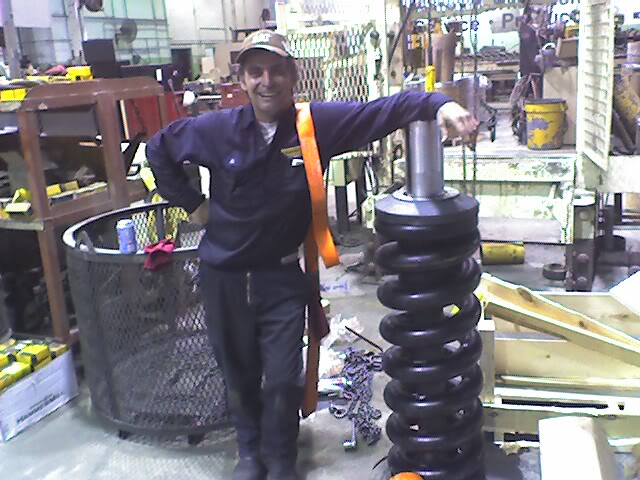
Alfred W Yaney
Portland,CT
Summary
Want to put your own image in the circle? It is easy! Select the image and do a right mouse click. Select “Fill” from the shortcut menu. Choose Picture… from the list. Navigate your computer to get the appropriate picture. Click okay to insert your selected image. Once your image has been inserted, select it again. Go to the Picture Tools Format menu. Click on the down arrow below “Crop” and select “Fill” from the list. This will auto adjust your image to crop to the image. You can click and drag your image to place it appropriately. Skilled Aircraft Mechanic with experience in maintaining, repairing and inspecting aircrafts according to Federal Aviation Administration standards. Strengths lie in troubleshooting, problem-solving, and ensuring optimal aircraft safety. Demonstrated ability to improve efficiency of repair procedures while strictly adhering to compliance regulations. Committed to delivering high-quality workmanship that leads to increased flight safety and operational performance.
Overview
33
33
years of professional experience
1
1
Certification
Work History
Aircraft Mechanic
Pratt & Whitney
10.2007 - 11.2020
- Preformed every single function from Dress and strip of new Turbofan Jet engines into and out of Test equipment to run before shipment
- To tear down and assembly in validation/Experimental
- Always preformed my duties beyond expected by my supervisors
- I went from Labor grade 5 up to labor grade Zero top paygrade test cell operator for almost 2 years
- I worked in Russia Twice for their MC-21-300 Airliner in 2017
- Siberia then Moscow
- While in Siberia I changed 5 engine main oil pumps
- I do the job in 6 hours, the assembly floor does it in 11 hours
- The Russians selected me as the first Flight test Mechanic
- In Moscow I helped set up hanger for 3 Aircraft
- As a test cell operator
- My test notes show that I shut down $130 million dollars’ worth of new engines before they ran out of oil, as this is the very first time, they are started
- Then Covid-19 hit I lost my test cell then I lost my shift
- The last thing I did was re-write the assembly instructions for the F-100 main engine oil pump
- The engines used for the F-16 and F-15 fighter planes
Service tech 1 & T/A Inspector
Ringpower
01.2002 - 01.2007
- Trouble shoot and repair ALL types of machines made by caterpillar to include asphalt Pavers
- After I have done a job a couple of times, I have a talent for being able to reduce the labor times by organizing the job and the repair in a manner that makes sense
- Factory engineers are not in the habit of preforming repairs
- I was able to change the Drum Support bearing on the front of Cat
- CB-534B compactor under warranty in less than 7 hours, A job that was taking 3-4 days
- I was made a dedicated T/A inspector in 2005
- First year customers refused to pay for my inspections
- So, they were not given a copy of it
- My second-year customers were not only willing to pay the $250 inspection cost, they were screaming for them
- Ringhaver paid Christmas bonuses
- Ringpower did not
- My last Christmas bonus was for $1,700
- This was determined by the board of directors
- Number of repairs completed, and re-work needed
Kelly tractor
01.1997 - 01.2001
- Company Overview: Ft
- Myers & West Palm Beach shops
- Duties included to troubleshoot and repair all types of Caterpillar Heavy Equipment to include paver equipment
- Extensive hydraulics and electrical troubleshooting and repair
- While at Kelly tractor I became the first Mechanic to pass the Caterpillar electrical test
- I was sent to Caterpillar Factory Asphalt Paver school
- To learn the AP-1000 and AP-1055 Pavers and Screeds
- I was able to troubleshoot machines effectively
- I have a natural ability
- To sense what is the cause of the problem
- Ft
- Myers & West Palm Beach shops
Witham Field Aircraft Services
01.1996 - 01.1997
- Trouble shoot and repair all types of General aviation Aircraft
- To include Aerobatic Aircraft, and Corporate jets
- Maintain Aircraft for Flight Training International (Flight School)
- I effected lasting repairs on fiberglass landing gear doors
Heavy equipment Mechanic
Mc Donalds Construction corp.
01.1988 - 01.1993
- Company Overview: Lakeland Fl
- Mc Donalds Construction had 50 631D Scrapers 10 632E scrapers
- I was doing a scraper gooseneck every month
- 30-40 D-8K and D-8N Tractors always doing undercarriage work and Bearings on Blades and equalizer bars
- This was in the extremely fast paced world of Phosphate mining and Land reclamation
- Lakeland Fl
Boat Builder
Island Hopper Boats
Ft. Pierce, FL
06.1991 - 03.1992
- Assembled decks and hulls with epoxy resins and fiberglass reinforcements.
- Installed electronics and hydraulic systems.
- Maintained a clean workspace free from debris or hazardous materials.
Education
Associates Degree - Aviation Maintenance Technology
National Aviation Academy
06.1995
Skills
- Complaint resolution
- Coaching
- Mentoring
- Documentation and reporting
- Evaluating employee work
- Influencing skills
Websites
Hobbies and Interests
- Radio control
- Scuba diving
- My kids
- Home improvement
Affiliations
- The greatest honor is being the father of two awesome kids who are well loved by their respective schools
- Teaching my son how to build and fly radio control Aircraft
- Creating science projects like a totally solar powered room heater using 8 inch black pipe and a solar power 8 inch ducted fan
Languages
English
Professional
Italian
Limited
German
Limited
Accomplishments
- I was the first cold war veteran to work in the Russian military Aircraft factory
- Overall outstanding performance certificate from the National aviation academy
- the praise i get from teachers and administrators about my 2 children
Certification
- Certified Airframe and Powerplant Mechanic
Timeline
Aircraft Mechanic
Pratt & Whitney
10.2007 - 11.2020
Service tech 1 & T/A Inspector
Ringpower
01.2002 - 01.2007
Kelly tractor
01.1997 - 01.2001
Witham Field Aircraft Services
01.1996 - 01.1997
Boat Builder
Island Hopper Boats
06.1991 - 03.1992
Heavy equipment Mechanic
Mc Donalds Construction corp.
01.1988 - 01.1993
Associates Degree - Aviation Maintenance Technology
National Aviation Academy